NEW SCS Web — the whole project in your browser

Everyone works from the same map.

SCS brings sewer cleaning, inspection, rehabilitation and repair together on one map. Clients, contractors and subcontractors see right away what has been done, where, and what still needs doing. From the truck, on the phone or at the office.

ClientsCleaning crewsInspectorsRehabilitationRepairSubcontractors
Pipe section cleanedSCS Cleaner · just now
Inspection + videoVisible in SCS Web right away
Measure: repairPassed on for execution
SCS Web · Project City Centre EastLive
Cleaned Inspected Measure Rehabilitated Planned
10+ yearsof hands-on experience in sewer cleaning and inspection
1 mapfor cleaning, inspection, rehabilitation and repair
Web + appsWindows, browser, iOS and Android, connected live
Dutch data centredata and media stored securely, with backup
Collaboration across the chain

One project. Every party. No more separate lists.

On a sewer project, several disciplines and contractors often work side by side, each with their own Excel sheets, PDFs and folders of video. In SCS everyone works in the same project, with exactly the permissions their role needs. Click a role to see what it does on the map.

The client sees every layer: what has been cleaned, inspected, repaired and rehabilitated.

Why SCS

Fewer handovers, fewer errors, finished sooner

SCS is built from hands-on practice in the truck and in the sewer. That is why the benefit lies mostly in what you no longer have to do.

One source of truth

No more spreadsheet versions going back and forth. The map in SCS is the current status, the same for everyone.

Live from the field

Whatever the cleaning crew or inspector records appears in SCS Web straight away. The office and the client do not have to wait for an export or report.

Permissions per role

Office user, administrator, viewer or cowork: everyone sees and does only what fits their role and your subscription.

Footage for every observation

Video, photo, 360° and 3D scan open at the right moment, in the browser. No more sending hard drives around.

Standards built in

Exchange in RibX, SUFRIB, GWSW and EN 13508-2. Export for the client's asset manager without manual work.

Easy to use

A familiar map, clear colours, keyboard shortcuts and a manual that opens at the screen you are on.

The SCS suite

From the truck to the asset manager: everything connects

SCS consists of applications that together form one whole. Start with what you need; everything works on the same projects and the same map.

Inspection

SCS Inspection

For the inspection truck: visual inspection of pipes and manholes, with export according to all common standards.

  • Inclination and joint width measurement
  • Measuring surface loss, radial and axial displacement and angular deflection
  • Project objects onto the map
  • App for zoom cameras and CleverScan
WindowsiOS
Cleaning

SCS Cleaner

Records cleaning of pipe sections, manholes, gullies and channel drains, and delivers a clean export or report straight away.

  • Export to RibX, CSV or report
  • Pumping stations and disposal tickets
  • Sign off measures in the app
  • Report differences as as-built corrections
WindowsiOSAndroid
Rehabilitation and repair

SCS Renovation

From assessment to execution: repairs and rehabilitation on the map, with status per object.

  • Measures from the assessment
  • Liners: from survey to test samples
  • Filters, plotting and export to PDF/CSV
WebWindows
Mobile

SCS apps

Record work in and around the sewer, directly in the SCS Cloud. Everyone with access to the project sees the same data.

  • SCS Cleaner app: cleaning and signing off measures
  • SCS Inspection app: inspecting with zoom cameras and CleverScan
  • SCS Viewer: free, the project on the map
  • SCS Survey: surveying with RTK GPS, optionally GWSW as-built corrections
iOSAndroid
Module

SCS Planner

Resource planning for staff, vehicles, machines and teams, linked to your SCS projects and the liner schedule.

  • Prevent double booking
  • Check driving licences and qualifications
  • Leave, sickness and maintenance visible right away
Web
Tools

RibX Editor

Edit, visualise, modify and merge RibX files.

  • Search by line number or text
  • Useful after the RIONED validator
  • Merge and save files
Windows
New: SCS Web

The complete sewer project in your browser

SCS Web is the new generation of SCS. Everything you know from SCS Desktop and SCS Online, now in one fast web application with the map at its centre. Improvements are added every week, and you get them automatically.

The map at the centre

All pipes, nodes, gullies and channel drains on a sharp PDOK/BGT base map, with house numbers. Select, filter and colour by whatever you want to see.

  • Select and filter by status, date, material or your own attributes
  • Edit objects and coordinates directly on the object card
  • Comments on objects, for yourself or for the client
  • Print and plot to scale, with labels

View, check and assess inspections

Pipe and manhole inspections come from SCS Inspection or from an exchange file. In SCS Web you see every observation with its photo and the right moment in the video.

  • Observations according to EN 13508-2, with described location
  • Inclination in a chart, 3D scans in the 3D viewer
  • Assess with your own warning/intervention matrix
  • Keyboard shortcuts for fast work
12.40 m · ⌀ 300 Observations 0.00 m BDB · Start 12.40 m BAB · Crack 18.75 m BCA · Connection 31.10 m BAJ · Displacement Inclination

From assessment to measure to execution

At the office you assess the inspections and assign measures. You collect them in a rehabilitation project and follow them until the last repair or liner is done.

  • Measures per pipe, with costs and status
  • Per liner: survey, protocol, installation and test samples
  • Plot liners on the map, export the liner schedule to PDF
  • Pass the liner schedule on to SCS Planner
Rehabilitation project 2026-0142 48 measures · 21 liners · 27 repairs PREPARED Liner P12–P13 Repair 18.7 m IN PROGRESS Liner P08–P09 DONE Liner P02–P03 ✓ Repair 4.2 m ✓ Test samples P02 ✓

What differs in the field gets back to the asset manager

Does the drawing not match reality? The cleaning crew or inspector records it in SCS Cleaner or SCS Inspection. In SCS Web you review the corrections and pass them on.

  • View, confirm or undo as-built corrections
  • Pass on to the master project or another work project
  • Export to GWSW Revisions (JSON and GeoJSON)
  • Carry map comments over to another project
Correction · Manhole P07 Surveyed 4.1 m off Confirm To master project

Hassle-free data exchange

SCS speaks the language of asset management systems. Import files, present them read-only or export exactly the selection the client needs.

  • RibX (NEN 3399 / GWSW), SUFRIB 2.1, EN 13508-2 XML
  • Import Wincan VX projects, including coordinates
  • Present exchange files (RibX, BEFDSS) read-only
  • Reports as PDF or an interactive HTML viewer with media
  • Invoicing and project links
RibXGWSW 1.5.1 NEN 33992004 · 2015 EN 13508-2+A1:2011 SUFRIB2.0 · 2.1 GWSW RevisionsJSON · GeoJSON BEFDSSread-only Wincan VXimport CSV / PDFexport Shapereporting

Sharing with clients and partners

You share a work project in a few clicks. You decide who may see and do what.

  • Viewer: view the map, cleaning, inspections and videos
  • Cowork: work in your project, with permissions for that project only
  • Download link: the subcontractor receives the project in their own SCS; both sides stay in sync
  • Share securely with a code sent by email, and revoke download links
Your project SCS Web ViewerClient CoworkPartner Download linkSubcontractor
Informing local residents

Keep residents informed automatically

With your own customisable widget on your website, residents can easily follow the work in their neighbourhood. The data comes straight from SCS Web, so the neighbourhood sees what is happening right away.

  • Your own widget on your website, styled to match your brand
  • Show or hide projects with 1 click in SCS Web
  • See cleaning and inspection progress right away
  • Share via a link or QR code, for example in a letter to residents
your-website.com/works Works in your neighbourhood Sewer maintenance · City Centre East Cleaned Inspected Planned Cleaning 72% Inspection 45% Visible on website On 1 click in SCS Web Sharing
SCS Media Server

All your footage. Anywhere. No hard drives.

The SCS Media Server processes and serves all media from your projects: videos, photos, 360° recordings, 3D scans and reports. SCS Web and the apps do not have to store anything themselves. You watch in the browser, at the right moment in the video.

Video streaming

Older formats (such as .mpg) play back too. Seeking works instantly, with hardware acceleration on the server.

360° and 3D

360° recordings with distance and clock position. 3D scans from CleverScan, Insta360 and RinnoVision are converted automatically into measurable models.

Smart uploads

SCS Copy and the apps only send new or changed files. If the connection drops, the upload resumes where it left off.

Hot and cold storage

Archive old projects to lower-cost storage. Media is found in both, including when a report is created.

SCS Transfer

Send or receive files and reports via a link, optionally secured with a code. The recipient does not need to log in.

Secure

Every request is verified and uploads are scanned for viruses. You get an email when storage is nearly full.

Media-Server

For teams and companies: in the cloud or in your own network
  • Cloud storage in our Dutch data centre, with backup to Belgium
  • Or connected to your own network share via a secure tunnel
  • Or your own on-site Media Server, installed by us
  • Play back via a link in VLC, on a TV or phone
  • The client downloads inspection projects directly, without transfer services. No duplicate storage and no copying of footage
  • Between SCS users with a Media Server, media can be uploaded directly via the server: no more sending photos and videos, they are available immediately
  • Automatic updates

Media-Service

For a single PC: media from your own drive or network folder
  • Runs in the background as a Windows service
  • Uses your own permissions, so network folders work just as in Explorer
  • No extra storage or media subscription needed
  • Export reports to a local folder, with media
  • Open a folder in Explorer directly from SCS
Easy to use

Made for people in the truck, not just the office

Anyone who spends the whole day in a truck does not want complicated screens. That is why SCS is kept as simple as possible.

1

Familiar

The same map, colours and terms everywhere: in the truck, in the app and in SCS Web.

2

Fast

Keyboard shortcuts, smart filters and codes you pick instead of type.

3

Help where you are

Click the question mark and the manual opens at the screen you are working on. Still stuck? Remote support and an answer within 24 hours on working days.

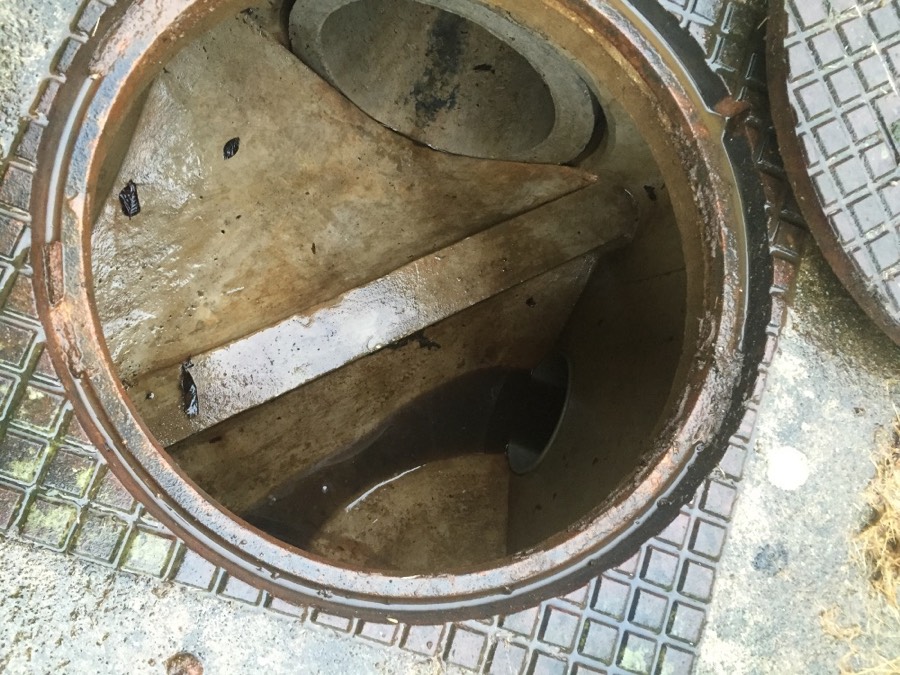
Open sewer manhole seen from above
We come from the field. More than ten years of cleaning and inspection is built into every feature of SCS.
Our experience

Software by people who know sewers

PRO Ewijk makes practical software for sewer networks. We know what a day of sewer cleaning looks like, what an inspector needs and where things go wrong in the handover to the asset manager. That is why we develop SCS together with the people who use it every day.

  • 10+ years

    Cleaning and inspection

    Our own experience in cleaning and inspecting sewers forms the basis of SCS.

  • 2018

    SCS Renovation

    Repairs and rehabilitation on the map, synchronised via the SCS Cloud.

  • 2019

    SCS Inspection

    SCS Inspection launched, with export according to NEN 3399 and EN 13508-2.

  • 2020

    GWSW-RibX 1.5.1 and RibX Editor

    Contributed to the renewed RIONED validator, released the RibX Editor and processed sewer as-built corrections in Kikker for a large municipality in Gelderland.

  • Next

    Apps in the stores

    SCS Cleaner, SCS Inspection and SCS Viewer for iOS and Android, connected directly to the SCS Cloud.

  • 2026

    New RibX validator

    Development of the new RibX validator for Stichting RIONED.

  • Now

    SCS Web and SCS Media Server

    The new generation: the whole project in the browser, with all media in a Dutch data centre.

These organisations work with SCS

Municipalities and asset managers

  • Gemeente Alphen aan den Rijn
  • Gemeente Eindhoven
  • Gemeente Hellendoorn
  • Gemeente Maashorst
  • RD4

Contractors, engineering and consultancy firms

  • Aarsleff Leidingrenovatie
  • Adriaans
  • Adviesbureau Tweeg
  • Baard Leidinginspecties
  • Bart Hermans Riooltechniek
  • Coppelmans
  • CT Boshuis
  • De Jong Zuurmond
  • Dijkstra Huisman Infra
  • ELKRO
  • FAB Beheer
  • GMB
  • Groeneveld Riooltechniek
  • HABO Riooltechniek
  • Hamers Leidingtechniek
  • Heijmans Infra
  • Infra Plus
  • IPEK
  • Jansen Rioolreiniging
  • JM Engineering
  • Kragten
  • Loon- en Transportbedrijf Fr. Tychon
  • Loonbedrijf Hiermstra
  • Michel Doorn Rioolservice
  • MJ Oomen
  • Mourik
  • NieuwCo
  • Pipe Vision
  • REMONDIS
  • RIONS
  • Rubo Bodengraven
  • Sanitas Water
  • Sjaak Janssen
  • Smet Group
  • SpectGroep
  • Stoutjesdijk
  • Te Kloeze Riooltechniek
  • Teeuwissen Rioolreiniging
  • Tolhuis Rioolinspecties
  • Twente Milieu
  • Van Dalen
  • Van de Kreeke
  • Van den Akker
  • Van der Kolk
  • Van der Velden
  • Van Doorn Geldermalsen
  • Van Gompel Cleaning
  • Van Roy
  • Van Viegen Riooltechniek
  • Van Vught Rioleringen
  • Veluwenkamp Bedrijven
  • Vriezen
  • Wateropleidingen
  • WAZO Riool
  • Weijers Riooltechniek
  • Willemsen Infra
  • XiS Engineering
Services

More than software

Taking work off your hands is what we do. Besides SCS, we keep your inspection truck running and build custom solutions for the way you work.

When things break down

Inspection hardware in stock: PCs, encoder cards, converters and parts. When something goes wrong, you are often back at work within a few hours.

Custom work

Conversion and recording tools for your own way of working, built on request.

Hardware, rental and sales

Inspection PCs

Complete 19-inch rack PCs for the vehicle, matched to the inspection software. For sale or rent, with a loan PC during repairs.

Encoders

Supplier of VITEC and SENSORAY encoders (MPEG-2/4, H.264, HD), also from stock.

GPS for rent

Trimble DA2 GPS receiver with the SCS Survey app: X, Y and Z with about 2 cm accuracy in the Dutch RD coordinate system.

Frequently asked questions

Questions about SCS

What is SCS?

SCS is PRO Ewijk's software suite for recording and managing sewer work: cleaning, inspection, rehabilitation and repair. It consists of SCS Web, SCS Inspection, SCS Cleaner, the SCS apps and the SCS Media Server. All parts work on the same projects and the same map.

What is SCS Web?

SCS Web is the web application where everything comes together: customers and projects, the map with all objects, cleaning, inspections, measures, rehabilitation, reporting and media. You work in the browser, without installation, and always have the latest version.

Can my client follow the project?

Yes. You give the client a viewer login. With it, the client sees the map, cleaning, inspections and videos, and can add comments or export data if you allow it.

How do I work with a subcontractor?

The subcontractor receives the project in their own SCS via a download link. Downloading requires a code emailed to the recipient, and the link can be revoked. Changes sync with your project. Partners can also work directly in your project via Cowork.

Which standards and exchange formats does SCS support?

SCS supports NEN 3399 (SUFRIB 2.1 and RibX), EN 13508-2 with the Dutch visual inspection guideline (GWSW-RibX 1.5.1), EN 13508-2+A1:2011 (XML) and GWSW Revisions in JSON and GeoJSON. Wincan VX projects can be imported.

Where are my data and footage stored?

Data and media are stored in a Dutch data centre, with backup. The SCS Media Server can also be connected to your own network share via a secure tunnel, or installed on site in your own network. For a single PC there is the local Media Service.

Can local residents follow the work?

Yes. With your own customisable widget on your website, residents see which works are taking place in their neighbourhood and how far cleaning and inspection have progressed. In SCS Web you show or hide a project with 1 click. The project can also be shared via a link or QR code.

Do the SCS apps work on iOS and Android?

The SCS Cleaner app and the SCS Viewer app are available for iOS and Android. The SCS Inspection app is available for iOS. The apps work directly in the SCS Cloud.

How do I get support?

By phone on +31 (0)487 842 954 or by email at support@pro-ewijk.nl. We answer support requests within 24 hours on working days.

See your own project in SCS Web

In half an hour we show you how your team, your client and your subcontractors work together on one shared map.

Contact

Let's talk

Call, email or leave your details. We respond within 24 hours on working days.

AddressWilhelminalaan 106A
6641 KN Beuningen, the Netherlands
Opening hoursMon–Fri 7:30–12:00 and 13:00–16:30 (CET)

Your email program opens with a pre-filled message to info@pro-ewijk.nl.